


Video Software Review
Holdem Manager 2 Synopsis
Holdem Manager 2 is an award winning tracking and analysis program that is compatible with almost all of the major online poker sites. The Holdem Manager franchise has been around for years and its newest incarnation, Holdem Manager 2, was rolled out in late 2011.
We recommend Hold'em Manager to anyone who takes poker seriously and wants to have every tool at their disposal.
Holdem Manager 2 Full Review
Holdem Manager 2 ranks as one of the most popular pieces of software for online poker players for a good reason. It's well put together, stable, fully featured, and constantly being updated with more features. The program imports hand history text files from almost all of the major online poker rooms and compiles them into a PostgreSQL database. From there, it can provide multi-layered reports based on any situation or scenario thanks to an innumerable number of features.
You can install Hold’em Manager 2 in full for a 30-day trial period before committing financially. Assuming you are satisfied, there are two editions available for purchase. First, a Small-Stakes Version imports hands up to $0.25-$0.50 No Limit or Pot Limit Hold'em, $0.50-$1 Limit Hold'em, and up to $22 buy-in tournaments and sit and gos. There is also a similar license for those who play smaller-stakes Omaha games.
The Pro version of Holdem Manager 2 costs $89.99 for Hold’em or Omaha, or you can pay $159.99 and get both forms of poker. The Pro version allows importing of hands from games at any stakes. Each purchased registration code is valid on two computers.
For those already utilizing Hold’em Manager 1, the upgrade to Hold’em Manager 2 costs $40.19 for the Small-Stakes Version, $60.29 for the Hold’em or Omaha Pro Version, and $100.49 for the Hold’em and Omaha Pro Version.
Unfortunately for Mac users, both versions of Holdem Manager will not run on the native Mac OS X and there are no immediate plans to develop this capability. The workaround is to utilize virtual machine software such as VMware Fusion, Bootcamp, or Parallels in a Windows environment. The good news is there is an HM2 mobile app that will give you the ability to upload hands directly, which provides the ability to filter, comment, review, replay, and share hands.
Setting up Holdem Manager 2 is simple for new users and previous users of HM1 alike. Converting databases from PokerTracker requires first exporting your hands from PT and importing them into HM2.
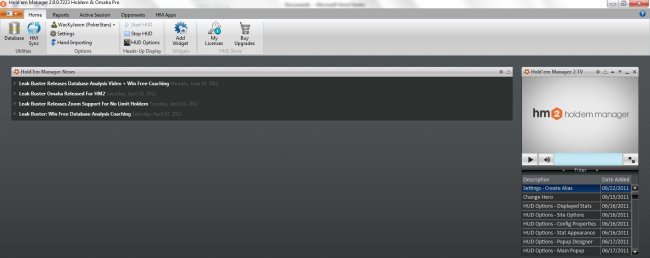
There are five main tabs at the top of Holdem Manager 2: "Home," "Reports," “Active Session,” “Opponents,” and "HM Apps." The "Home" tab is the central point for Hold’em Manager updates and news and can be found here:
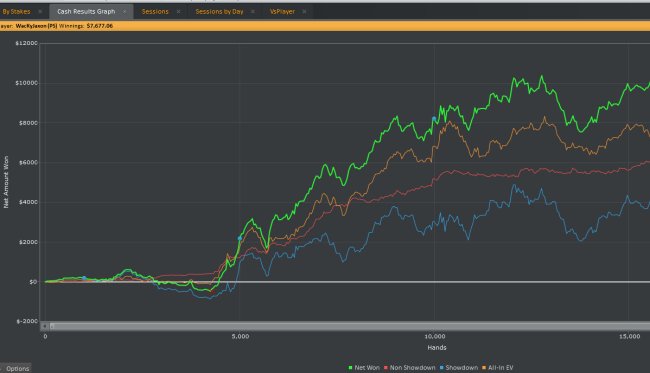
The “Reports” tab is where you will be spending most of your time on analysis and results tracking. You can view your stats separately by cash games and tournaments. There are a dozens of reports you can create along with a plethora of stats and filters you can easily add based on what you want to review. There are also heat map reports to simplify some of this information. The "Reports" tab is also where you can see your stats in graph form and look at areas like your all-in EV, rakeback, and win rate when multi-tabling. Here is the "Reports" tab along with a graph:
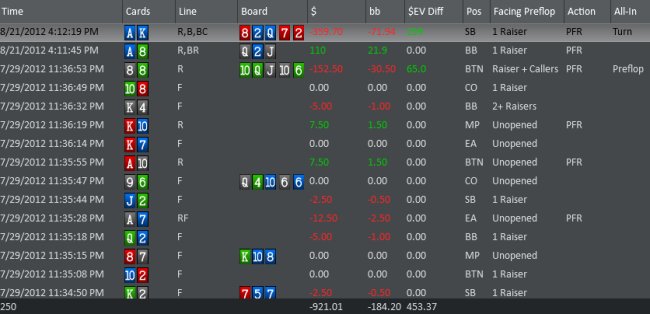
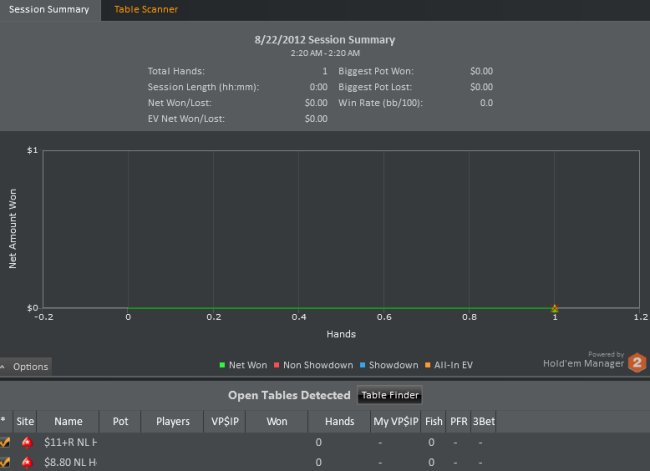
The “Active Sessions” tab is where you can view how you are doing during a particular session:
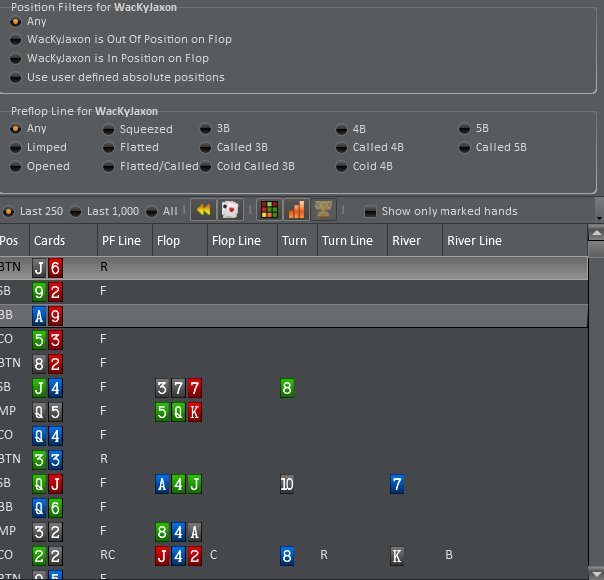
The “Opponents” tab provides useful information when analyzing your opponents' strengths and weaknesses:
The “HM Apps” tab is for downloading third-party software that is compatible with HM2. These apps include Holdem Manager Table Scanner (perfect for getting assistance finding the most profitable tables), Table Ninja (a suite of invaluable tools for multi-tablers), Leak Buster (which assists cash game players in finding leaks to improve on), NoteCaddy (for adding useful information to your HUD), SitNGo Wizard (for SNG players to analyze and improve their play), and Tilt Breaker (a bankroll management tool).
Possibly the most useful feature in HM2 is its extremely powerful Heads-Up Display. There are hundreds of stats you can put into your HUD and you can even configure multiple ones to come up for certain situations. For example, you can have a HUD for full ring play on PokerStars and a completely different setup for six-max tournaments on Everest Poker. When you click on the HUD overlay for yourself or a villain, you'll be given a stat dialog box with supplemental information to view:
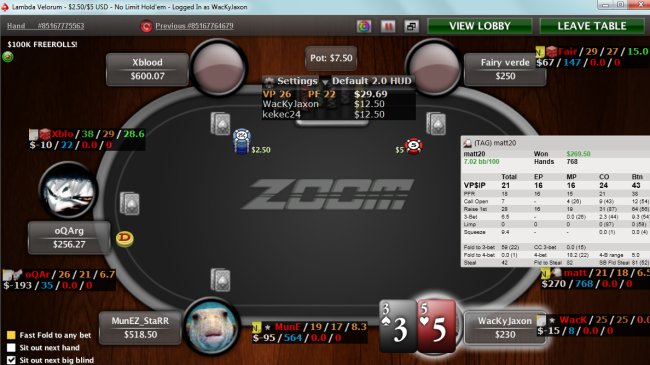
A new feature of HM2 is that NoteCaddy notes can be displayed in your HUD. These notes are generated automatically and you can drill down to the actual hands that generated them while you are playing. There are free and premium versions available.
As was the case with HM1, there is a hand history replayer in Holdem Manager 2, which allows you to analyze and review your game. Hole cards are shown for you and the opponents who were at your table, assuming this data popped up in a hand history.
Another option instead of Hold'em Manager 2 is the new HM Cloud, which is in Alpha testing. HM Cloud will allow you to store your database on its servers and remotely allows you to use the HUD and database on your computer. Since the database itself will not be on your computer, all of the processing, stat calculations, and hand storage will not have any effect on your system resources, thus making your computer processing time more efficient.
Another benefit of HM Cloud is the ability to review your data on any device, including tablets and mobile phones. This new product doesn't have all of the whistles and bells that HM2 has, but it's a great alternative for those who want to always be thinking about poker and have their data accessible from anywhere they are.
Overall, Holdem Manager is a fantastic hand history tracking utility that comes fully featured for all types of poker players. Whether you are just starting out and buy the Small-Stakes Version or are a soul-crushing regular using the Pro Version, Holdem Manager will be a positive addition to your poker software library.
Member Reviews
animo's Review of Holdem Manager 2
February, 28, 2015I had a couple of questions , if I am grateful to answer : 1. Does the program should be used only online ? Or it can be used offline ? 2. Is this program only attached to star poker site ? Or you can connect it to the site ?


heyguy's Review of Holdem Manager 2
January, 27, 2013I used HEM1 for years and was pleased until it stopped working with 888 Poker. I downloaded the trial version of HEM2 and was not able to get it started. I contacted support and was referred to a FAQ page that told me I needed to uninstall my security software and, if that did not work, disable my firewall. Sorry, if HEM2 is incompatible with security software and firewalls, it is not for me.
wackyJaxon's Review of Holdem Manager 2
August, 24, 2012Holdem Manager 2 is my personal HUD and database. I love the additional add-ons like NoteCaddy and everything is very easy to use. It more than pays for itself.
 Holdem Manager 2 Vitals